How to Choose a Wireless Condition Monitoring System: A Plant Manager’s Guide to ROI and TCO

Wireless condition monitoring has moved from pilot projects to plant-wide deployments, and the number of systems competing for those contracts has grown with it. For reliability and maintenance teams, the selection process now involves more than comparing sensor specifications. Buyers also have to weigh network architecture, analysis service models, software capability, and a set of recurring fees that vary widely from vendor to vendor.
Two measures tend to settle the decision. Return on investment (ROI) reflects how quickly the detection has an impact from catching developing faults early enough to plan repairs and avoid unscheduled downtime. Total cost of ownership (TCO) captures what the system costs to buy, install, and operate over a three-to-five-year period. The initial quote rarely predicts either one. Systems with higher upfront hardware costs can become less expensive to operate over time, while systems that price low at the outset often add per-user licensing, cellular data, storage, and analysis fees that move them toward the top of the cost range by year five.
Some of the largest cost drivers are not visible on a spec sheet. Network capacity can be lower in practice than advertised once redundancy requirements are applied. Sensors can accumulate weeks of offline time in short intervals that a status screen never flags. Mounting methods, power arrangements, and environmental ratings all influence how much data a system actually delivers and how much labor it takes to keep running.
Mark Kingkade, Reliability Solutions Architect at Waites, has spent more than 30 years testing and deploying systems for predictive maintenance (PdM). He outlines the criteria he uses to evaluate wireless monitoring systems in five areas: sensors, analysis service models, the dashboard, network hardware like gateways and repeaters, and the ongoing costs that determine TCO. Each section below covers the minimum specifications to require, the questions to put to vendors in writing, and how the answers affect long-term cost and return.
Why should you evaluate wireless condition monitoring TCO over 3 to 5 years?
How a plant manager pays for the system depends on the buying model. With a capital expenditure (capex) purchase, the plant buys the sensors and network hardware outright, but analysis and monitoring are typically still billed as an annual fee for each monitoring point. With a reliability-as-a-service model, the hardware, software, and analysis are bundled into one recurring subscription, which shifts spending from the capital budget to the operating budget. Waites offers both options.
Either way, the costs do not stop after installation. Depending on the model, licensing, connectivity, data storage, service fees, and maintenance labor can recur every year. Over a multi-year window, those recurring costs can reverse the ranking of systems that looked cheap or expensive on day one. Compare buying models on the same 5-year total, not on the first invoice.
The same window applies to ROI. Returns come from failures caught early, emergency repairs converted to planned work, and technician hours moved off manual data-collection routes. Those savings build over years, so they should be measured against costs over the same period.
Kingkade recommends treating the purchase as a long-term partnership with a vendor rather than a one-off transaction. That raises three questions before any spec comparison begins. Will the vendor still be producing and improving this sensor in five years? Will its hardware hold up in your plant environment? And what will you pay every year to keep the data flowing?
Answering those questions starts with the sensor itself.
What sensor specs should a wireless condition monitoring system meet?
The sensor determines which faults a system can detect and how early it can detect them, which sets the upper limit on ROI. A predictive maintenance sensor should be fully self-contained, triaxial with contact temperature, capable of at least 3,000 Hz on all three axes, and built to run at least 6 years on a field-replaceable battery. Kingkade’s full checklist spans measurement, power, mounting, data collection, vendor maturity, and radio behavior.
>> Download SM7 Product Spec Sheet
Measurement Capability
| Requirement | Minimum Specification |
| Axes | Triaxial (X-Y-Z) with contact temperature measurement |
| Fmax (based on Waites SM7) | 11.2 kHz on x axis and 5.2 kHz on y and z axes |
| High-Frequency Range | 50 kHz minimum for high-frequency enveloping and lubrication issues; learn more about ImpactVUE high-frequency data acquisition that goes beyond ultrasonic sensing for precision monitoring |
| Temperature Range | -40 to 185 °F |
Vibration Sensor Hardware, Power and Mounting
Each item below either prevents a gap in the data or removes a recurring maintenance task. Both affect cost over the life of the program.
- Know What “Wireless” Means: Wireless sensors come in different configurations, and it pays to know which one you’re getting. Fully self-contained sensors house the battery, radio, and sensing element in one unit, which keeps installation simple and suits most accessible equipment. Tethered sensors connect by cable to a nearby wireless node and are designed for locations where a full-size unit won’t fit, such as tight or enclosed spaces. Waites offers both: the SM7 for fully wireless deployment, and a tethered sensor that plugs directly into a node to expand coverage. Choosing the right configuration for each asset, and routing and securing any cables properly, keeps the system reliable either way.
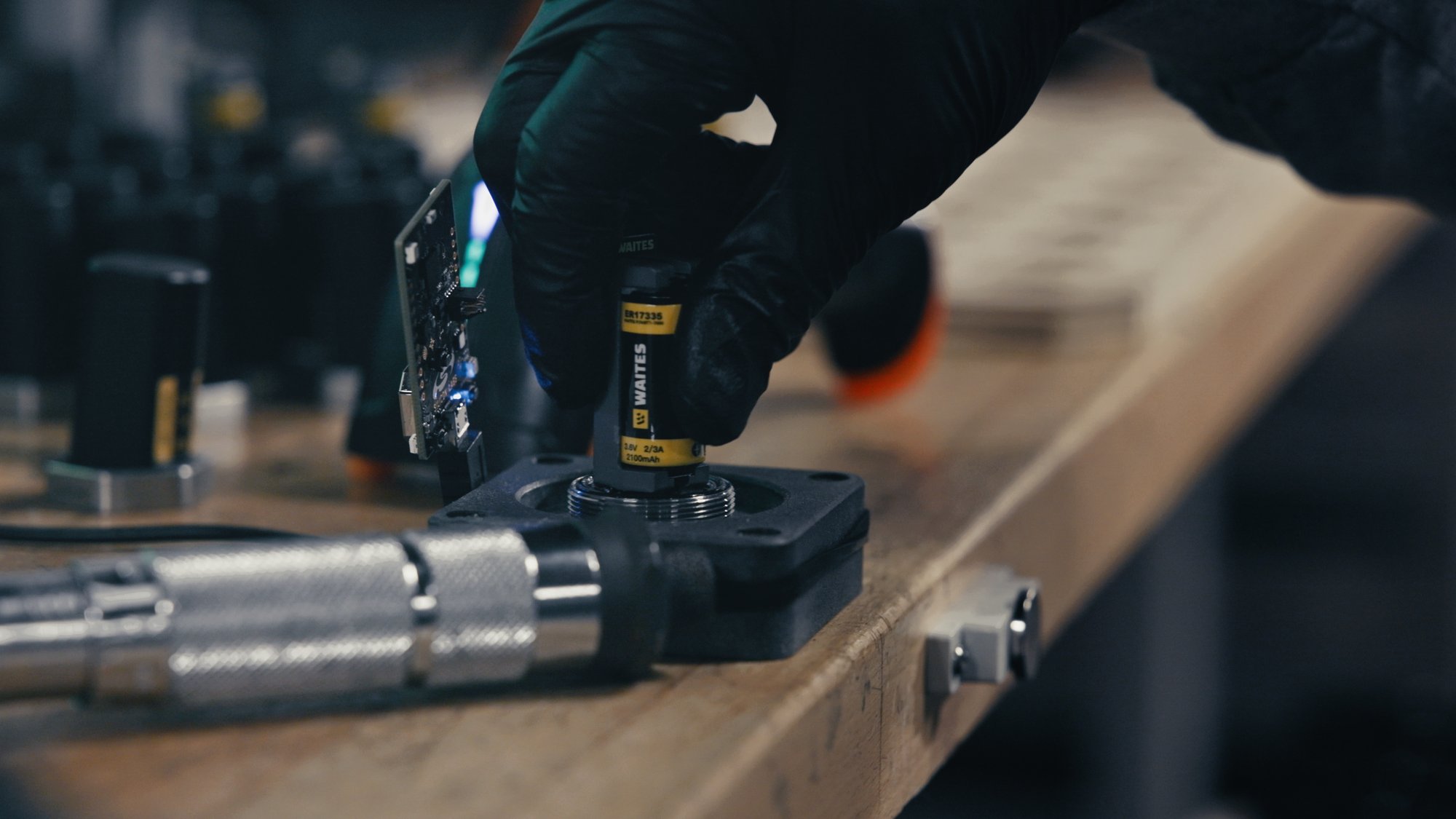
- Battery Life of 6 Years or More: Use an off-the-shelf battery that can be replaced easily in the field. Six years is the minimum. Battery replacement is labor, and on a deployment of several hundred sensors, each additional year of battery life removes a full round of replacements from the evaluation window.
- Low-Battery Alerts: The sensor must send messages when its battery is running low.
- Field Reset Without Disassembly: Each sensor is essentially a small computer and will occasionally need a reboot. Ask whether that requires pulling the battery or whether there is a built-in reset. A reset that takes seconds and no tools keeps a routine task from becoming a maintenance call.
- Data Availability Over Time: Alerts for a sensor, repeater, or gateway going offline are table stakes. Also ask whether the dashboard reports cumulative offline time per device over the last week, month, and year. Many systems reset the clock when a device comes back online. A sensor that shows “offline 2 days” may have been dark for 50 of the last 90 days in short stretches. That sensor has missed more than half its data while still counting against the program’s cost.
- Stud Mounting and Epoxy vs Magnetic: Agree on a mounting method early in sensor selection, since each involves trade-offs. Stud mounting gives the most secure, repeatable placement but requires drilling and tapping. Epoxy avoids machining but depends on proper surface prep to hold reliably. Magnets are the quickest to install and relocate but are more easily dislodged. Whatever the method, a sensor reinstalled in a different location or orientation will shift the data trend. If that change goes unnoticed, it can trigger false alerts and send technicians to healthy machines.
Data Collection
A good mount produces data you can trust. The system also has to collect enough of it, at the right times, to catch a developing fault while there is still time to plan the repair.
- Baseline Schedule: Overall vibration at least every 60 minutes, plus a full spectrum and waveform daily.
- On-Demand Capture: If an operator hears a noise or feels a change, the system administrator should be able to trigger a dynamic data set within 15 minutes of the request. Ask whether this is done at the sensor, through the dashboard, or only by a third party.
- Threshold-Triggered Capture: When vibration crosses a set level, the sensor should collect dynamic data regardless of the schedule, including during a high-vibration event. Events that fall between scheduled collections are often the ones that matter most.
- Machine-Off Awareness: If the machine is down, the system should skip scheduled dynamic collection rather than drain the battery on an idle asset.
- Wake-on-Shake: Scheduled readings work well for machines that run continuously, but intermittent equipment can be idle when a reading is due and running when it isn’t, so faults may go unrecorded. Wake-on-shake addresses this gap. The sensor stays in a low-power state and captures data when it detects vibration above a set threshold, so readings happen while the machine is actually running. Waites builds this into its SM7 wireless sensor, which offers triaxial vibration, integrated temperature, and wake-on-shake capture, alongside readings that can be set to run on intervals or triggered on demand. The result is usable data from intermittent assets without draining the battery on readings taken during downtime.
Vendor Maturity
The wireless sensor market has changed quickly over the last 5 years. Organizations have invested tens of thousands of dollars in systems that are no longer produced or supported. When that happens, the investment is stranded and the payback period starts over with a replacement system. Kingkade’s filter: choose a sensor manufacturer with at least 100,000 of its sensors installed, operating, and verifiable in the field across its customer base. This is a test of the vendor’s track record, not a requirement for your plant; the system should work whether you monitor 20 assets or 20,000.
It also helps to ask for a reference deployment at a scale similar to or larger than your own. A vendor that has supported tens of thousands of sensors at a single site has already worked through the network, alarm management, and support problems a large rollout will raise.
Environmental Ratings
Sensors, repeaters, and gateways all need ratings that match where they will be installed. Consider explosive atmospheres, heavy dust, water, high humidity, washdown, and chemical exposure from either the process or equipment cleaning. Relevant ratings include:
- Class 1 Div 1 and Class 1 Div 2 for hazardous locations, with ATEX or IECEx certification for sites outside North America or companies standardizing across global facilities
- IP68 and IP69 for ingress protection, with IP69K for areas that see high-pressure, high-temperature washdown
Unrated network hardware is sometimes installed outside the hazardous area or inside a rated enclosure. Plan for this early. Enclosures, extra cable runs, and relocated hardware are costs that rarely appear in the first quote.
Signal Pattern and Data Buffering
Once the hardware is matched to the environment, look at how the sensor transmits its signal. A sensor in a perfectly rated location still does no good if the repeater can’t pick it up.
- Omnidirectional vs. directional transmission. Some sensors radiate in roughly a 360-degree sphere. Others transmit in cone shapes out of the top and bottom, with little signal straight out the side. Kingkade worked with one system that would not reach a repeater in direct line of sight at the same height. The fix was mounting the repeater about 30 feet off the floor. This matters most where changing elevation is difficult, and every high mount adds lift time, labor, and harder access for future service.
- Local storage during outages. Line power gets unplugged and circuits trip. One system Kingkade used stored 23 days of data before overwriting the oldest, then uploaded everything on reconnect. Other systems store nothing: with no connection, the sensor collects on schedule and overwrites the previous set.
Even a sensor that clears every item above is only as useful as the people reading its data, which raises the question of who does the analysis.
Should you choose in-house, hybrid, or full-service vibration analysis?
There are three options for who analyzes the data: your own in-house analyst, a hybrid arrangement shared with the provider, or full service from the provider. This choice often has the largest single effect on both TCO and ROI. It determines how much staff time the program requires, and how quickly an alert turns into a scheduled repair. Pick the model that matches the people and budget you actually have, keeping in mind that experienced vibration analysts are difficult to hire and retain.
| Model | Who does the analysis | What the provider delivers |
| In-House | Your own analyst maintains and manages the vibration database | Data and platform access |
| Hybrid | Provider runs first-pass analysis | Alerts to the site when changes develop or defined, agreed-on vibration levels are reached |
| Full Service | Provider manages the data entirely | Ongoing monitoring plus repair or action recommendations |
Whichever model you choose, ask how alerts are vetted before they reach your team. Raw alarms put the work of separating real faults from noise back on site staff. Alerts that a certified analyst has reviewed, assigned a severity, and paired with a recommended action can go straight into maintenance planning.
What should a wireless monitoring dashboard be able to do?
A wireless monitoring dashboard should match the functions of a typical route-based vibration platform. How much of it you use depends on your service level, but the capabilities below separate a real analysis tool from a status screen. They also determine how quickly your team moves from an alert to a decision.
Trending and Status
- Display overall trend, temperatures, battery condition, and connection issues.
- Optionally display alarm bands such as bearing bands, vane frequency bands, and demod bands.
- Trend a discrete frequency by cursor placement across a spectrum set. For example, display several spectra over time for a pump; select the vane-frequency or running-speed peak; and see whether it is rising, falling, or steady.
Spectrum and Waveform Views
- Spectrums in Orders, CPM, or Hz, and in velocity, acceleration, or displacement.
- Waveforms in revolutions or time, and in velocity, acceleration, or displacement.
- Single, stacked, and waterfall plots for a single point.
- Multiple axes from the same sensor in one plot, such as vertical vs. horizontal.
- Spectrums from multiple sensors in one plot. Comparing vertical vibration on a motor and fan bearing, or axial vibration on a motor and belt-drive fan bearing, helps quickly flag possible sheave alignment issues.
Alarms and Alerts
Good plots help an analyst diagnose a problem, but alarms are what prompt someone to look at the data in the first place. Poorly tuned alarms cost twice: missed faults on one side, and wasted technician trips on the other.
- Band alarms and envelope alarms for individual machines and locations.
- Alerts to identified contacts for a machine alarm, a change, a sensor offline, or communications offline.
- Statistical alarms built from saved data, with the ability to remove outliers one at a time. Six months of data skewed by several transient events, for instance, needs those collections excluded before the statistics are reliable.
None of this matters if the data doesn’t make it from the sensor to the dashboard. That depends on the gateways, repeaters, and nodes.
How do gateways, repeaters, and nodes affect reliability and cost?
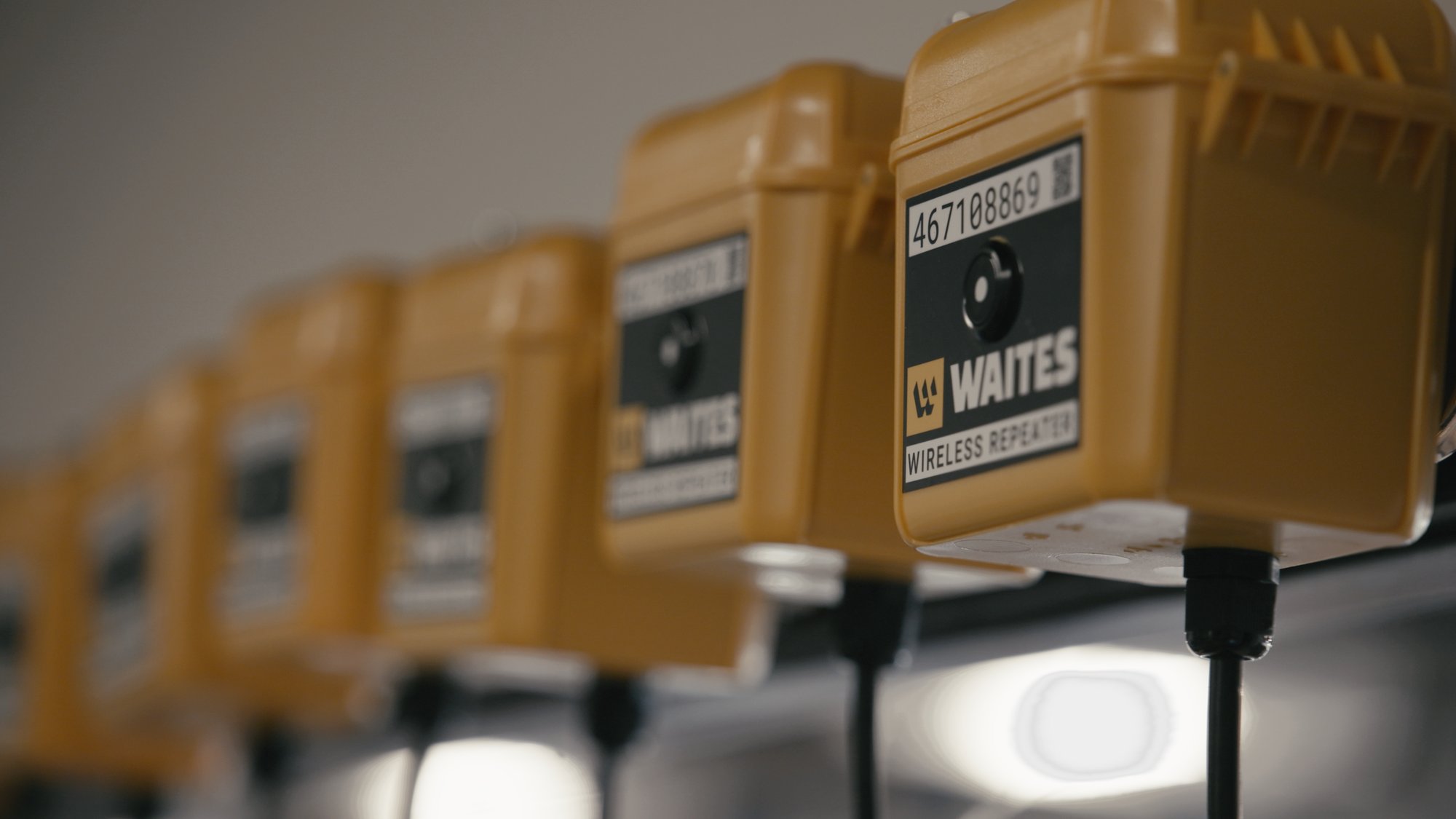
Network gateways, repeaters, and wireless nodes carry sensor data to the cloud or server. Their communication method, power source, and real capacity all affect reliability and cost.
Communication Method
Ask what frequency or system the hardware uses: Wi-Fi, Bluetooth, cellular, or something else. Then ask whether it could interfere with the in-house wireless network that carries plant operating and monitoring systems.
Power
- Line power or battery? Confirm which, up front.
- Hard-wired is preferred. A standard 3-prong plug makes the initial install quick, but someone working nearby may unplug it to use the outlet. Some systems offer only hard-wired power. Where plugs are used, Kingkade suggests converting to hard-wired once the system is established.
- Watch GFCI requirements. Some plants require every plugged device to run through a GFCI adapter or outlet. Kingkade has seen these trip, forcing an immediate move to hard-wired power, though other electrical issues may have contributed in that case.
- Ask about battery backup. A gateway with backup power can ride through short interruptions without losing its connection.
- Best case: a dedicated circuit for this equipment.
Real Capacity
Once power is settled, find out how many sensors each device will really handle. That number determines how many gateways and repeaters you end up buying, and it is one of the easiest places for an infrastructure budget to double.
- Ask how many sensors each gateway and repeater supports.
- Ask whether sensors can transmit directly to the gateway. Some systems require an intermediate device for every sensor, which adds hardware even where the gateway is within range.
- Ask whether sensors are linked to specific repeaters, and whether data is saved and sent later if that repeater loses power or connection.
- Check redundancy math. One system required each sensor to map to 2 repeaters for failover. Its repeater was marketed as supporting 50 sensors, but in practice supported 25, because the other 25 slots were reserved as backups for another 25 sensors.
Integrating with Existing Sensors
Ask whether the system can bring in wired sensors already installed, such as standard off-the-shelf 4-20 mA vibration sensors. Also ask whether other sensor types, like pressure or current outputs, can link to the dashboard and transmit wirelessly. Reusing equipment the plant already owns lowers upfront cost and keeps all condition data in one place.
These hardware decisions drive upfront costs. The ongoing fees drive cost over 5 years.
What ongoing costs drive total cost of ownership?
The costs that change a TCO comparison are usually recurring: per-user licensing, connectivity, data storage, maintenance agreements, and the level of analysis service purchased.
Recurring fees to request in writing:
- License, user or seat fees: is there a charge for each person who uses the system?
- Cellular charges, if the system uses cellular to move data to the cloud or another destination.
- Data storage fees.
- System maintenance agreement fees.
Analysis Service Tiers
Next, ask what levels of analysis service are offered. Depending on the level, the provider does all the analysis, shares the work with you, or leaves you to build everything yourself.
| Tier | Provider Responsibilities | Your Responsibilities |
| In-House | Dashboards and interface options | Buying, installing, and setting up equipment, and custom-building everything, much like an in-house route-based program built on a purchased data collector and software |
| Hybrid | Alarm adjustment and development; works with you to design machine classes and statistical alarms based on current process operations, adjustable to your organization’s requirements | Analysis work and some tracking |
| Full Service | All analysis and reporting, writing work orders if needed, tracking downtime and cost savings with your input, and linking them into the dashboard. Ask whether additional training is offered. | Supplying input on downtime and savings |
Get each vendor’s answers in writing and price them over at least 5 years. That produces a fair TCO comparison. For the ROI side, ask each vendor how savings are documented: which failures were caught, which repairs were planned instead of rushed, and how much downtime was avoided. A vendor that tracks those results with you makes it far easier to show the program is paying for itself at budget time.
How does Waites Sensor Technologies handle these criteria by default?

Sensors
The Waites SM7 wireless condition monitoring sensor is a high-frequency, high-g, 3-axis vibration sensor with contact temperature, measuring -40 to 185 °F (-40 to 85 °C) with ±1 °F (±0.5 °C) accuracy. Its wake-on-shake trigger provides threshold-triggered capture, so high-vibration events between scheduled collections are recorded. The field-replaceable battery has a 6-year life, which removes a round of battery replacements from a five-year TCO window. A sensor can be rebooted by holding a magnet to the top of the cap for 3 seconds, with no tools or disassembly. The tethered SV5 plugs directly into a node for locations too tight for a self-contained sensor.
Data Collection
Overall vibration (RMS) is collected every 60 minutes by default.
Environment
The SM7 wireless sensor is rated IP69K for high-pressure, high-temperature washdown, and configurations are available with North American (Class I/II, Division 1), ATEX, and IECEx hazardous location certifications. The wireless node and repeater is rated IP68. Plants running sites in several regions can standardize on one sensor platform.
Gateways and Capacity
At one facility, Waites is monitoring over 3,000 sensors on one gateway. It uses the 802.15.4 protocol and includes a 4-hour battery backup during power interruptions. Sensors within range connect directly to the gateway, so repeaters are added only where coverage requires them. That keeps device counts, power drops, and infrastructure cost down as a deployment grows.
Existing Sensors
The Waites Universal Adapter brings third-party sensors into the same platform, so existing instrumentation doesn’t have to be replaced.
Vendor Maturity
Waites has installed and monitors more than half a million sensors, five times the 100,000-sensor threshold above. That includes deployments at more than 400 material handling facilities, with 25,000 sensors at a single site. A large percentage of the parcels shipped around the USA today pass by Waites sensors.
Analysis
Every machine alert is reviewed by a certified vibration analyst, assigned a severity, and paired with a prescriptive recommendation before it reaches the customer. Site teams receive actionable findings rather than raw alarms, which reduces the in-house analysis labor that drives TCO. Equipment alerts, such as a detached sensor, go straight to the site team.
Frequently Asked Questions
How should I measure ROI on a wireless monitoring program?
Compare the program’s 5-year cost against avoided downtime, emergency repairs converted to planned work, lower maintenance costs, and labor saved on manual routes. Maintenance savings include less overtime, fewer expedited parts shipments, less secondary damage from run-to-failure events, and fewer time-based PM tasks on healthy equipment. Count spare parts inventory, too: when faults are flagged weeks in advance, plants can order many parts when they are needed instead of holding extra stock on the shelf, which lowers inventory carrying costs. Ask vendors how they help document these savings. Waites customers typically reach full ROI within 3 to 6 months. A global cement manufacturer reached ROI in 3 months.
What Fmax should a wireless vibration sensor have?
At least 180,000 cpm (3,000 Hz) on all three axes, plus 20 kHz minimum in at least one direction for high-frequency enveloping and lubrication issues.
How long should a wireless vibration sensor battery last?
At least 3 years, using an off-the-shelf battery that can be replaced in the field. Longer battery life reduces replacement labor over the life of the program.
How often should wireless sensors collect data?
Overall vibration at least every 60 minutes, and a full spectrum and waveform daily. On-demand dynamic data should be available within 15 minutes of a request, and threshold-triggered capture should record events between scheduled collections.
How can I tell whether a sensor vendor is established?
Ask how many of the manufacturer’s sensors are installed and operating in the field. Kingkade looks for at least 100,000 verifiable installations across the vendor’s customer base. This measures the vendor’s track record, not the size of your deployment.
What environmental ratings matter?
Class 1 Div 1 or Class 1 Div 2 for hazardous locations, and IP68 or IP69 for ingress protection, applied to sensors, repeaters, and gateways. Washdown areas call for IP69K, and global sites may need ATEX or IECEx.
Should gateways and repeaters be plugged in or hard-wired?
Hard-wired, ideally on a dedicated circuit. Plugged units get unplugged, and GFCI outlets can trip. Battery backup on the gateway helps it ride through short outages.
How many repeaters will a wireless monitoring system need?
It depends on how many sensors each gateway supports directly and whether redundancy requirements reduce real repeater capacity. Ask vendors for both numbers in writing.
What hidden costs should I ask about?
Per-user license or seat fees, cellular data charges, data storage fees, maintenance agreement fees, sensor replacement costs for sensors that do not have removable batteries, and the analysis service tier.